

For any media inquiries, please send us an email and we will get back to you as soon as possible.
This release focuses on visual spatial intelligence, multi-view workspaces, and enterprise-grade operational reliability. Across Workspaces, users get richer floor-plan visualization (both data-driven 2D SVGs and 3D floor plans), multi-layer and multi-view page organization without duplication, and tighter cross-tile selection synchronization. Across Platform-wide capabilities, the release strengthens building automation scheduling and tag-based mapping, introduces A4 PDF workspace reporting and file collaboration, makes heavy imports and exports durable in the background, and improves diagnostics across datasets, events, and devices.
Workspaces shift from static dashboards toward interactive, multi-layered, and context-aware operational canvases backed by reliable rendering and state synchronization.
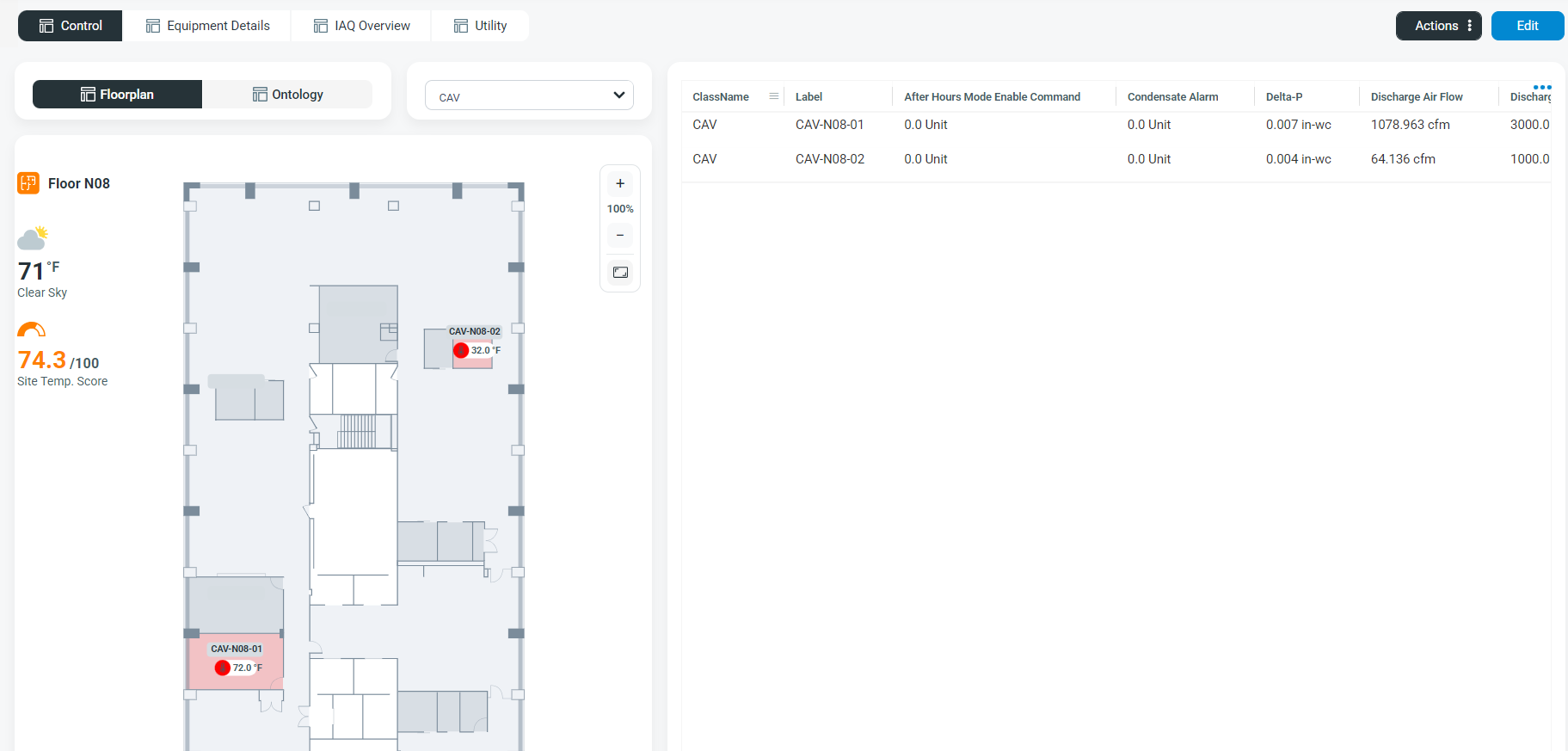
Interactive SVG floor plans and equipment diagrams
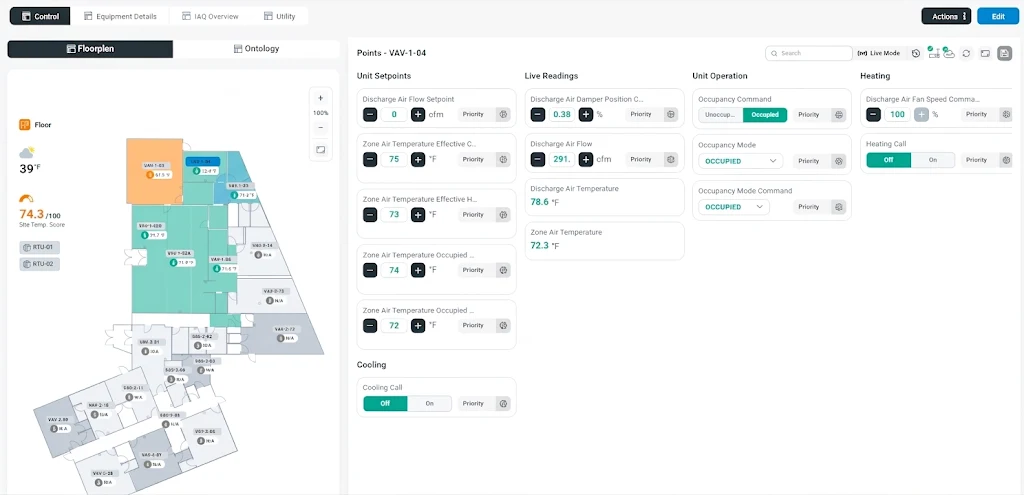
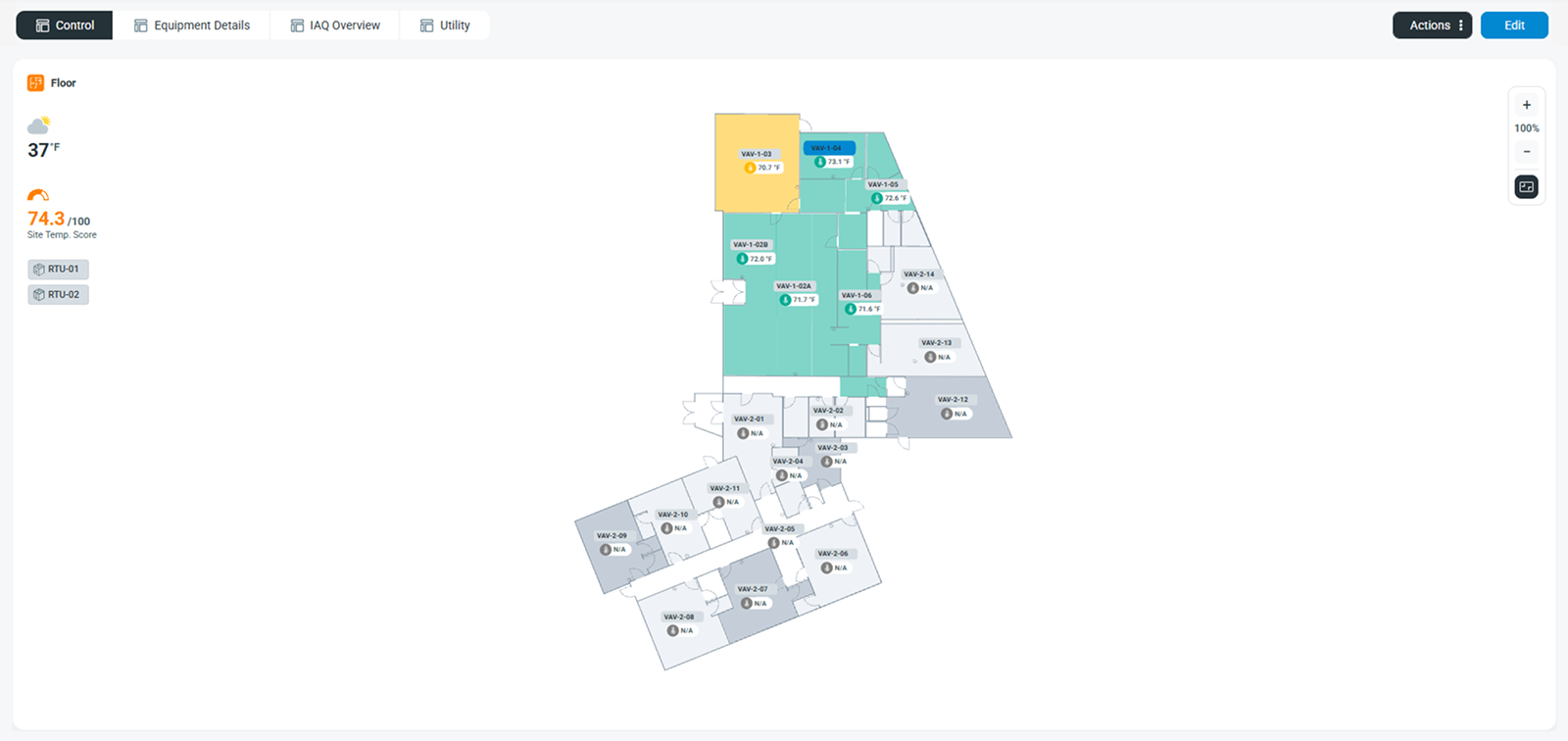
Display data-driven SVG floor plans with configurable values, colours, and visibility. Select and highlight mapped equipment, use configured navigation actions, and synchronize selections with other workspace tiles. Supports automatic, horizontal, and vertical orientations.
Floor-plan API integration
Retrieve floor-plan SVGs by site or location, including the mappings that connect graphical elements to equipment and data. This supports consistent data bindings between the API and workspace floor-plan tiles.
Workspace layers
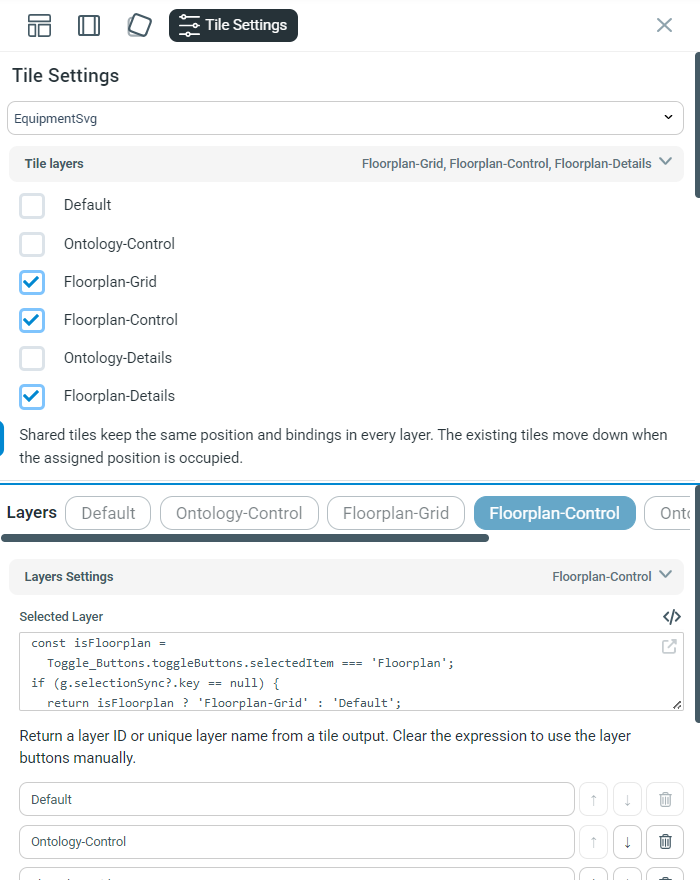
Organize tiles into multiple presentation layers within a page. Tiles can appear on more than one layer, and layer selection can respond to workspace data or controls. Exports respect the selected layer.
Named workspace views
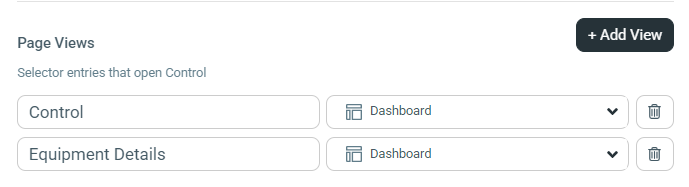
Create multiple named and icon-based views of the same workspace page without duplicating it. Views also integrate with public workspace links and workspace notification settings.
Synchronized workspace interactions
Improved selection coordination across grids, dropdowns, equipment trees, hierarchical trees, and SVG tiles—including initial selection, clearing selections, and restoring selections after data changes.
Flexible tile expansion
Expand tiles to the available workspace area or toward a selected corner, then restore them without changing the saved layout. Improved resizing and behavior when switching layers.
Workspace usability and reliability
Improved loading after browser refresh, site selection, library browsing, chart legends, grid sparklines, control tooltips, and drilldown feedback.
3D floor-plan reliability
Improved Smplr floor-plan loading, isolated rendering, and image/PDF export integration.
Workspace reporting
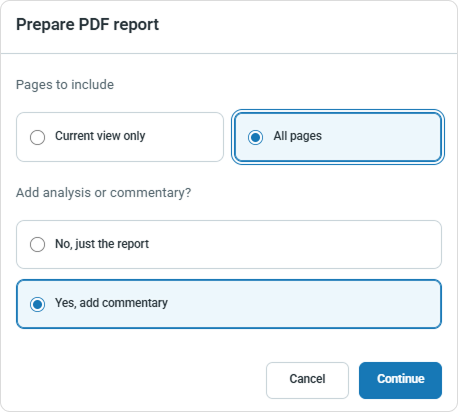
Generate A4 PDF reports for the current view or all workspace pages, add commentary and annotations, save reports to Files Manager, and email them with a custom subject and message.
These scheduling updates deliver more precise, reliable, and scalable automation control across IQ, BACnet, and NubeIO environments. By pairing improved schedule editing and synchronization visibility with tag-driven equipment mapping, teams can manage complex building schedules and holiday exceptions with less manual configuration and greater confidence in field execution.
Schedules and holiday management
Improved IQ, BACnet, and NubeIO scheduling, including sunrise/sunset editing, clearer weekly timelines, more reliable holiday exceptions and calendar publishing, and better visibility into synchronization history and BACnet reliability warnings.
Cloud Schedules with Equipment controller and IQ schedule mapping
Upload equipment/controller mappings and use equipment tags to target IQ schedules. Applying mapping changes refreshes the affected schedule targets through the API.
Notification updates provide clearer configuration, stronger governance, and more flexible scheduled reporting across alerts and workspaces. Teams gain better organization over notification rules, full accountability through audit and delivery logs, and tighter control over how and when workspace reports are delivered.
Notification management
Improved alert and workspace notification configuration, grouped views, change audits, and delivery history. Workspace reports support named views, reporting periods, and timezone selection.
These platform updates strengthen bulk data reliability, team file collaboration, analytical accuracy, and field-level operational visibility. Together, they reduce manual rework during large-scale onboarding and exports, streamline cross-team document workflows, and give engineers clearer diagnostics across datasets, events, and connected devices.
More resilient imports
Improved equipment, point, and multi-device Modbus imports with clearer validation, duplicate-handling options, live progress, and recovery after interruptions. Added site-assignment imports with preview and personal job history.
Background exports and job tracking
Large grid exports run as durable background jobs with progress, history, retries, and private downloads. Job history supports search and filtering, and Users exports better match the selected grid scope and columns.
Files Manager collaboration
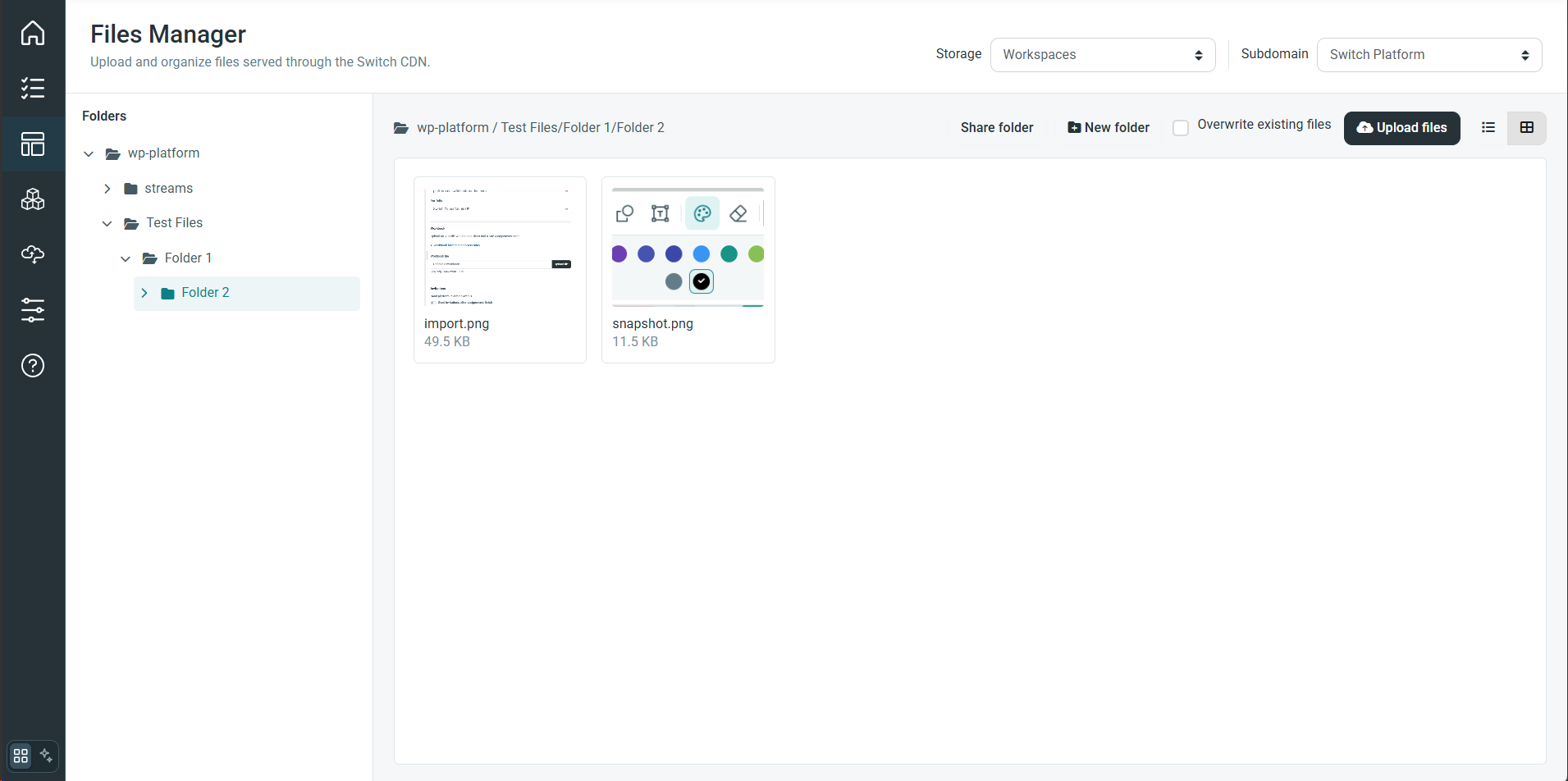
Added folder sharing controls, improved previews, file discussions with mentions, and file moves between permitted folders while preserving discussions.
Datasets and analytics
Added editable JSON datasets with validation, formatting, download, and workspace-local copying. Improved query editing, chart date alignment, aggregation behavior, and recovery from failed analysis requests.
Events and navigation
More reliable event creation from analysis charts, corrected event timestamps and task creation, preserved site selection, and direct event links that resolve the appropriate portfolio and site context.
Device and gateway visibility
Clearer missing-device warnings and troubleshooting guidance, restored device-to-point drilldowns, live gateway assignment updates, and improved point-activity visibility for sites without gateways.
These updates introduce centralized cloud scheduling with direct equipment control and BACnet schedule creation. Teams can now manage and enforce automated schedules from the cloud while also creating BACnet schedules directly on supported field devices for consistent, reliable building automation.
Cloud Schedules
Create, manage, and deploy centralized schedules from the cloud with direct operational control over connected equipment and building systems.
Implement schedules with controls
Execute and enforce scheduled commands directly on target controllers and equipment points to automate equipment states and setpoints reliably.
BACnet Schedules and Support for creating Bacnet schedules on supported devices
Create and manage native BACnet schedules directly on supported field devices to standardize scheduling across BACnet-enabled building controllers.
A comprehensive sweep of general system fixes aimed at eliminating minor glitches, improving stability, and ensuring a smoother overall user experience.
The table below contains all fixes and improvements included in Version 7.34.0. Use search, filters or sorting to find items relevant to your team.

5 articles found
Latest updates to the Switch Platform that will be released 24 November 2026 (Version 7.35.0)
Latest updates to the Switch Platform released 28 September 2026 (Version 7.34.0)
Latest updates to the Switch Platform that will be released 28 September 2026 (Version 7.34.0)
Latest updates to the Switch Platform released 23 July 2026 (Version 7.32.0)
Latest updates to the Switch Platform that will be released 23 July 2026 (Version 7.32.0)
Latest updates to the Switch Platform released 10 June 2026 (Version 7.31.0)
Latest updates to the Switch Platform released 21 May 2026 (Version 7.30.0)
Latest updates to the Switch Platform released 22 January 2026 (Version 7.29.0)
Latest updates to the Switch Platform released 08 December 2025 (Version 7.28.0)
Latest updates to the Switch Platform released 20 October 2025 (Version 7.27.0)
Latest updates to the Switch Platform released 26 September 2025 (Version 7.26.1)
Latest updates to the Switch Platform released 11 September 2025 (Version 7.26.0)
Latest updates to the Switch Platform released 5 Mar 2024 (Version 7.16.0)
Latest updates to the Switch Platform released 18 January 2024 (Version 7.15.0)
Latest updates to the Switch Platform released 3 September 2023 (Version 7.12.0)
Latest updates to the Switch Platform released 11 August 2023 (Version 7.11.0)
Latest updates to the Switch Platform released 30 May 2023 (Version 7.10.0)
Latest updates to the Switch Platform released 5 May 2023 (Version 7.9.0)
Book a demo and see how Switch connects, analyzes, and optimizes your buildings from day one.


